Managing inventory effectively is crucial for any business, yet it remains a challenge for many directors. Inventory simulation offers a powerful tool that can streamline this complex task by predicting the behaviour of your stock levels over time.
Our article will guide you through the basics and applications of inventory simulation, showing how it can transform your approach to inventory management. Ready to unlock efficiency? Let’s dive in!
Key Takeaways
Inventory simulation is a strategic approach that helps businesses manage stock levels by predicting inventory behaviour, allowing for data-driven decisions and more efficient operations.
The Economic Order Quantity (EOQ) model plays a crucial role in inventory management, optimising the balance between ordering costs and holding expenses to minimise total cost.
By using spreadsheets and techniques like Monte Carlo simulation, companies can create realistic scenarios to understand potential outcomes of different strategies without risking actual resources.
Inventory simulation software provides powerful computing capabilities for complex simulations, aiding businesses in effective risk management and smarter inventory choices.
As manufacturing intelligence evolves with the help of technology, directors use real-time data gathered from various sources to adjust production processes promptly in response to consumer demand.
Inventory Management: Basics

Inventory management stands as the backbone of a streamlined supply chain, integral to maintaining an equilibrium between too much and too little stock. At its core lies the Economic Order Quantity (EOQ) model, a strategic framework that optimises inventory decisions by balancing ordering costs with holding expenses and service levels.
Economic Order Quantity (EOQ) Model
Determining the most cost-effective amount of stock to order, the Economic Order Quantity (EOQ) model serves as a cornerstone in inventory management. It balances ordering costs with holding costs to find the optimal quantity that minimises total expenses over time.
The formula takes into account annual demand, single-order placement cost, and yearly holding cost per unit.
Directors should note that applying EOQ brings precision to purchasing decisions. Companies gain tailored recommendations for restocking quantities, ensuring they neither overstock nor under-order.
This optimisation of inventory policies directly contributes to leaner operations and improved capital budgeting by reducing unnecessary expenditure on storage and supply chain inefficiencies. However, it’s critical to be aware of its limitations such as reliance on constant demand and not considering potential bulk discount benefits.
Basic Terminology of EOQ
Understanding EOQ begins with grasping its core components. The EOQ model hinges on three main factors: annual demand, order cost, and holding cost. These elements are crucial for determining the most economical quantity to order that minimises costs while ensuring a steady supply of inventory.
Annual demand refers to the total number of units your company expects to sell over review period of a year review period. Accurate forecasting here is essential, as it informs how much stock you need on hand.
Order cost covers all expenses related to placing an order. This includes processing fees, shipping charges, and any other administrative costs incurred during replenishment. Lowering these costs can significantly impact your bottom line by reducing the overall expense per unit ordered.
Holding cost encompasses the price of storing unsold goods; think warehousing expenditures, insurance, and potential spoilage or obsolescence risks associated with keeping stock on hand too long.
Striking the right balance between ordering more frequently and maintaining higher inventory levels is key to optimising your supply chain efficiency through simulation in inventory management tools and techniques.
Understanding How the EOQ Model Works
The Economic Order Quantity (EOQ) model is a cornerstone of inventory management, balancing ordering costs against holding stock outs other costs to minimise total expenses. Let’s delve deeper and discover the mechanics behind this critical formula as it informs efficient stock control decisions within businesses.
Assigning Basic Parameters and Creating Quantity Column
Inventory management is a complex task that requires detailed analysis and precision. Accurate estimates and stock outs are essential for both inventory policies maintaining the balance between order size and storage costs.
Start by defining the annual demand for your products. This figure impacts how frequently you’ll need to reorder stock.
Determine the ordering cost per purchase. This includes all expenses related to placing an order, regardless of quantity.
Calculate the holding cost per unit, considering storage, insurance, and other warehousing expenses.
Establish lead time, which is the duration from placing an order to its delivery. It’s crucial for scheduling orders and avoiding stockouts.
With these parameters set, create a Quantity Column in your spreadsheet. Here you’ll log the varying quantities of inventory to be ordered over time.
Creating Ordering Cost Column
Having set the basic parameters for initial inventory and determined the quantity column, it’s now important to calculate the costs related to placing orders, a crucial step for accurate inventory planning. The ordering cost column will detail the expenses incurred each time you restock your full inventory model.
Identify all direct costs associated with making an order. This includes costs like purchasing, shipping, and receiving. Directors need to factor in everything from the administrative work down to the labour costs of handling incoming stock.
Calculate these costs per order to maintain consistency. Whether you place an order for ten units or a hundred, there are certain fixed costs that will remain the same. It’s crucial that these are identified and spread evenly across each order.
Input these values into your spreadsheet alongside corresponding quantities. This alignment allows you to see how ordering different quantities affects overall costs.
Utilise formulas within your inventory simulation software to automate calculations. For instance, if shipping costs vary based on order size, input a formula that adjusts this cost dynamically as unit numbers change.
Aggregate data over time to refine your ordering cost estimates. As more orders occur and data points accumulate, use this information to make statistical inferences that can lead to more precise cost estimations.
Collaborate with other departments such as finance or logistics. They may provide insights that help fine-tune the accuracy of your ordering cost calculations or offer alternative strategies for cost reduction.
Keep these figures updated regularly for real-time analysis and decision making. Market conditions change and so might supplier prices or shipping rates; stay ahead by keeping this data current.
Creating Holding Cost Column
Understanding the intricate details of the EOQ model is imperative for inventory control. The holding cost column plays a pivotal role in inventory system by revealing the expenses associated with storing inventory.
First, identify the storage cost per unit for your inventory. This figure may include warehousing, security, and insurance costs.
Calculate the average inventory level by dividing the sum of the beginning and ending inventory by two.
Multiply this average inventory level by the storage cost per unit to determine your total holding costs.
Input these calculations into a new column in your spreadsheet, labeling it as ‘Holding Cost’.
Use formulas within your spreadsheet software to allow dynamic updates whenever you change relevant figures.
Ensure that this column is formatted correctly for currency, assuming that is how you’re measuring costs.
Regularly review and update the holding cost parameters to reflect any changes in storage pricing or inventory levels.
Creating Total Cost Column
Crafting the total cost column is a critical step in modelling inventory with the EOQ approach. This involves the precise calculation and optimization of combined ordering and holding expenses to determine the most cost-effective order quantities.
Begin by calculating the ordering costs for varying order quantities.
Add the holding costs, which are based on how much stock you have at any given time.
Combine both values in a new column to reflect the total cost for different order sizes.
Use this total cost column to identify the lowest point where ordering and holding costs are optimally balanced.
Ensure that each entry in this column accurately reflects the sum of its corresponding ordering and holding costs, as per the EOQ model’s formula.
Creating Line Chart
Creating a line chart is an essential step in inventory optimization python a simulation that visualises the relationship between different costs and helps identify the most cost-effective order quantity. It transforms data into a visual format, making it simpler to analyze and pinpoint where costs are minimised.
Start by entering all your collected data into a spreadsheet. This includes parameters such as demand rate, order cost, holding cost, and unit price.
Ensure there’s a column for each type of cost involved in your inventory – ordering cost, holding cost, and total cost. These will form the basis of your line chart.
Use this data to determine the quantity of items ordered at different intervals and input these figures in the ‘Quantity’ column. This will illustrate how different quantities affect overall expenses.
Calculate the ordering cost for various order quantities and record these amounts in the ‘Ordering Cost’ column. Remember, ordering large quantities less frequently might reduce this expense.
Compute the holding cost for each corresponding order quantity and fill out the ‘Holding Cost’ column. Holding more inventory typically increases these costs.
Sum up both ordering and holding costs to derive total costs per order quantity, which should be displayed in your ‘Total Cost’ column.
Select your dataset and insert a line graph via your spreadsheet software’s chart function — ensure that quantity is on the horizontal axis while costs are represented on the vertical axis.
Examine the line chart closely to identify where the total cost curve hits its lowest point; this indicates the most economical order quantity according to EOQ models.
Applying Conditional Formatting
Select the Total Cost column in your spreadsheet, which is central to optimising your inventory levels.
Navigate to the ‘Conditional Formatting’ options in your spreadsheet application and choose a rule type that suits your needs, such as ‘Highlight Cell Rules’ or ‘Data Bars’.
Create a rule that shades cells based on their value; lower costs could appear in green while higher costs are red, enabling quick identification of optimal order quantities.
Configure the format to spotlight the minimum total cost automatically, as this is where ordering and holding costs intersect most efficiently.
Employ a colour scale to assess order quantity values gradually, offering an intuitive grasp of how incremental changes affect overall cost.
Utilise icon sets to categorise different ranges of inventory levels, such as reordering points or potential shortage zones.
Implement custom formulas if you need more sophisticated analysis, like marking anything above a specific threshold or identifying trends over time.
Save time by copying the conditional formatting rules across other relevant columns or data sets for uniform evaluation standards across all inventory metrics.
Trust that conditional formatting will not only emphasise areas requiring attention but also present directors with a clear visual summary of complex data.
Pros and Cons of EOQ Model

The EOQ model stands out for its ability to lower the total cost of inventory by optimising the number of units a business should order. It takes into account both ordering and holding costs, striking a balance that aims to save money over time.
Directors will appreciate how this model can churn out precise figures, offering tailored advice on order sizes that could lead to substantial cost savings. Especially in high-volume environments where small changes can lead to big financial impacts, the EOQ’s precision is invaluable.
However, there are challenges that come with using the EOQ model. Its reliance on complex mathematical formulas can be daunting for those without a strong background in maths or analytics.
The accuracy of its recommendations depends heavily on stable demand and consistent lead times—conditions not always present in dynamic markets. If your product range expands beyond a single item or if market conditions fluctuate dramatically, the simplifications at the heart of EOQ may leave you with less-than-optimal results.
Now let us explore what inventory simulation entails and how it complements traditional models like EOQ.
Introduction to Inventory Simulation

Dive into the intricacies of inventory simulation and discover how this powerful tool helps businesses navigate the complexities of stock management, enabling data-driven decisions that steer clear of guesswork.
Simulation with Spreadsheet
Simulation with a spreadsheet starts by setting up the parameters and variables that define your inventory challenges. You’ll create columns for quantity, ordering cost, location, holding cost, and total cost—each representing different aspects of your inventory.
As you input data into these columns, the numbers will offer insights on how to manage stocks more effectively. The ease of adjusting these figures allows for instant visualisation through line charts, aiding directors in making decisions backed by clear graphical representations.
Utilising Monte Carlo simulation techniques enhances the spreadsheet’s capabilities further. By inputting random variables such as price fluctuations or demand changes, it simulates numerous different scenarios, to provide a probabilistic understanding of potential outcomes.
This use of randomness turns a simple spreadsheet into a powerful tool for predicting future inventory needs and financial impacts – steering away from guesswork towards data-driven decision-making and optimization.
Order and Inventory Simulation
Order and inventory simulation system serves as an example of a breakthrough tool for directors keen on optimising their inventory management systems. It leverages the power of mathematics and computing, creating virtual environments where different scenarios can be tested without disrupting actual operations.
By setting up models that mimic or simulate real-world situations, companies simulate demand patterns, supply variability, lead times, and stock levels to evaluate potential outcomes.
Utilising Monte Carlo sampling among other techniques ensures these simulations reflect realistic randomness in consumer behaviour or market changes. The use of computers in this process is indispensable; they efficiently manage vast amounts of data while running multiple trials swiftly, delivering insights and simulation results faster than traditional methods ever could.
This system allows decision-makers to experiment with various strategies, observe results instantaneously and make informed choices that are pivotal to the company’s success.
Applications of Inventory Simulation
Discover how inventory simulation serves as a linchpin in transforming raw data into actionable manufacturing insights and efficient supply chain strategies that keep businesses steps ahead of the demand curve.
Inventory Simulation: Manufacturing Intelligence
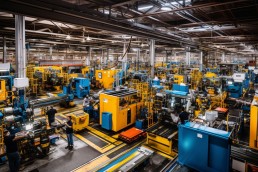
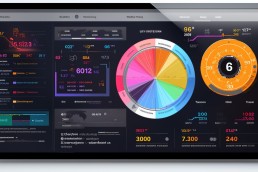
Manufacturing intelligence harnesses the power of inventory simulation to drive smarter decisions in production processes. By collecting and analysing data from various sources, including the Internet of Things (IoT), companies can optimise manufacturing operations.
They generate forecasts using probability distributions, ensuring resources are allocated efficiently and reducing waste.
This strategic approach supports directors in adopting a data-driven stance. Real-time insights allow for rapid adjustments in project management, aligning with consumer demand and market fluctuations.
The integration of technologies like Microsoft Azure or Amazon Web Services elevates manufacturing intelligence by providing a robust platform for analytics and inventory optimisation.
Embracing these tools equips decision-makers with the agility needed to respond to complex challenges within dynamic markets.
Conclusion
Inventory and simulation model stands as a pivotal tool in the arsenal of modern managers and analysts. It opens doors to experiment with various scenarios, enhancing decision-making under uncertainty.
With powerful computer algorithms at their disposal, professionals can predict outcomes, analyze, and strategise effectively. Embracing this technique equips businesses to navigate the complexities of inventory management with confidence and precision.
As we delve deeper into data-driven solutions, inventory simulation emerges as an essential component for future-ready companies aiming to maintain a competitive edge.
FAQs
1. What exactly is inventory simulation?
Inventory simulation uses tools, like Python for the simulation and inventory analysis for system optimisation, to model inventory systems and help decision-makers understand potential outcomes through simulated scenarios.
2. Why do analysts use simulation in inventory control?
Analysts use the simulation model in inventory control to experiment with various scenarios without risk, helping them predict shortage costs, manage stock levels, and improve overall efficiency.
3. Can experimenting with an inventory simulation save a company money?
Yes, by trying out different strategies through experimentation and avoiding trial-and-error in real life, companies can optimise their inventories and reduce unnecessary costs.
4. How does data science relate to modelling inventory systems?
Data science provides the quantitative analysis needed for modelling complex inventory systems by using probability distributions and other statistical methods to measure and forecast demand patterns accurately.
5. Does privacy matter when using services like Amazon Web Services for simulations?
Absolutely! Ensuring privacy while utilising hybrid cloud services from providers like AWS is crucial as it involves handling sensitive data during the simulation process.
6. Are there any industries where inventory simulation isn’t useful?
Inventory simulations can be relevant across various industries since they involve key factors such as consumption rates and exchange rate fluctuations that impact most businesses.
And there's more...